Contact Book, Members, Spending & Analysis
This section explains the supporting features in 3Warranty, including the contact book, member repair history, spending records, and monthly analysis chart.
01. Contact Book
Every time a new invoice is created, the customer name and phone number will be saved into the contact book automatically.
This makes future invoice creation much easier. The next time the same customer comes for repair, you only need to enter either part of the name or part of the phone number, and the matching contact will appear automatically.
This helps open a new invoice faster and reduces repeated typing.
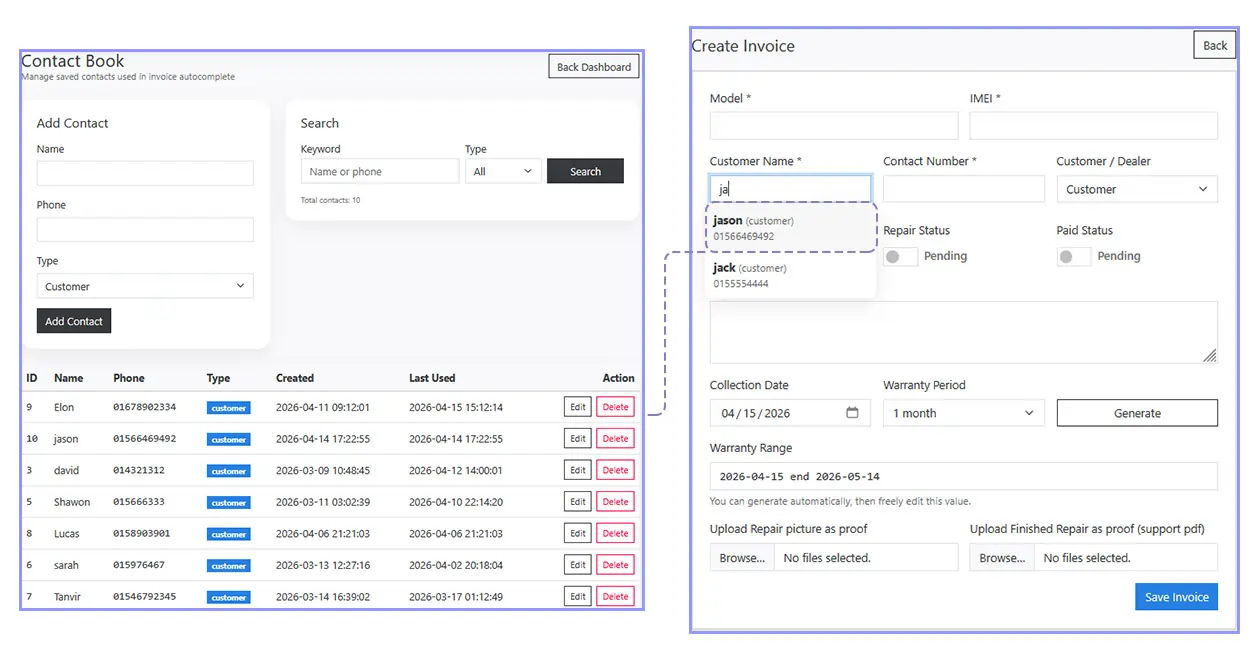
You can also search, edit, add, or delete contacts manually under the Contact Book page.
02. Members
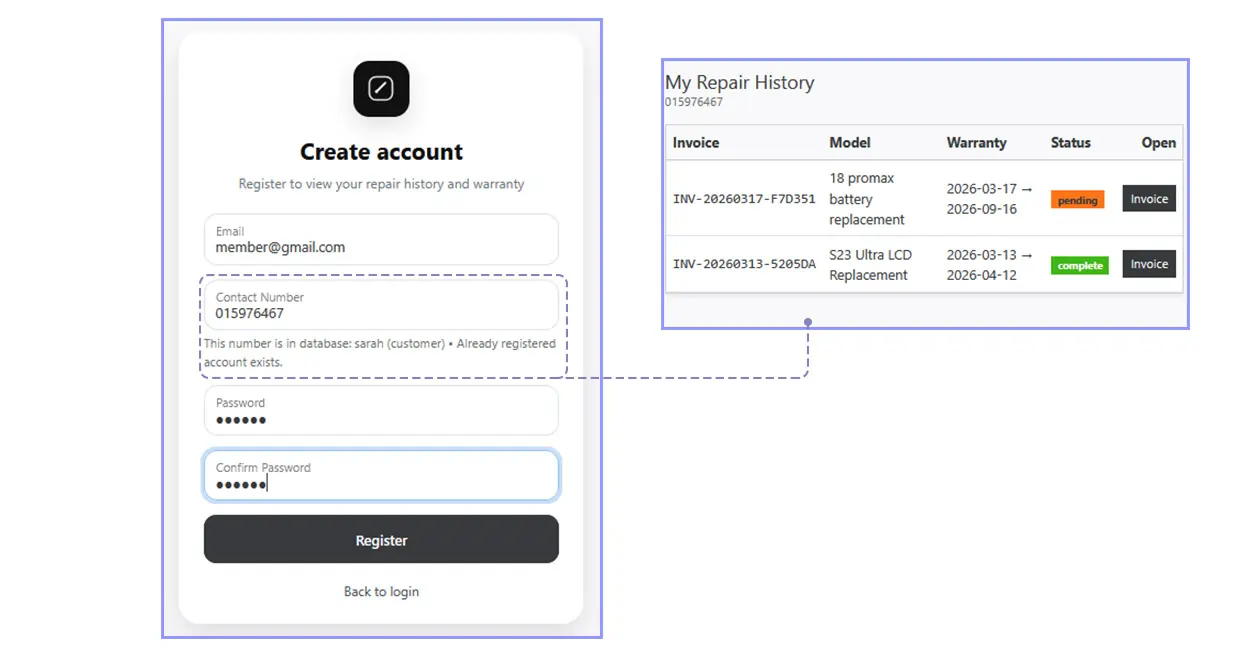
If a registered member's phone number matches a number already saved in the database, their invoice and repair status will be added automatically into their repair history.
This allows members to check all of their repair history directly inside their account without needing to search manually on the public lookup page every time.
03. Spending
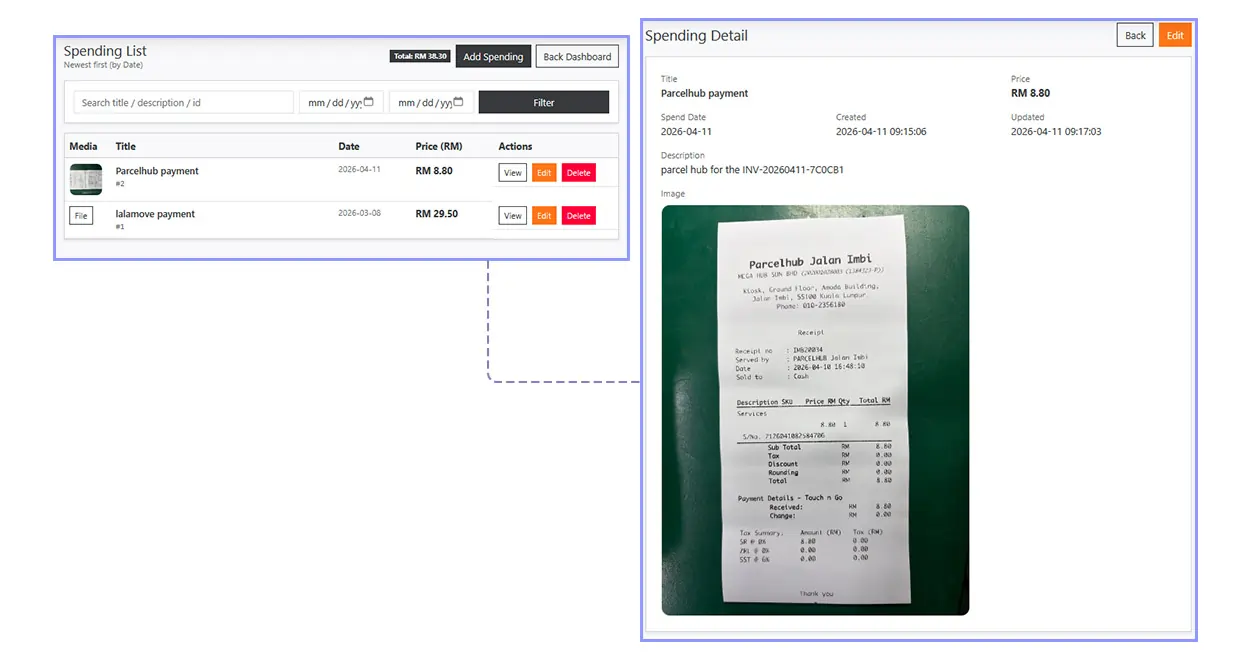
Under Spending, you can upload purchase receipts and add notes for business expenses.
For example, you can take a photo of repair parts purchased, accessories, or tools, then upload it into the system together with the spending amount and note.
You can also filter spending records and check monthly spending more easily.
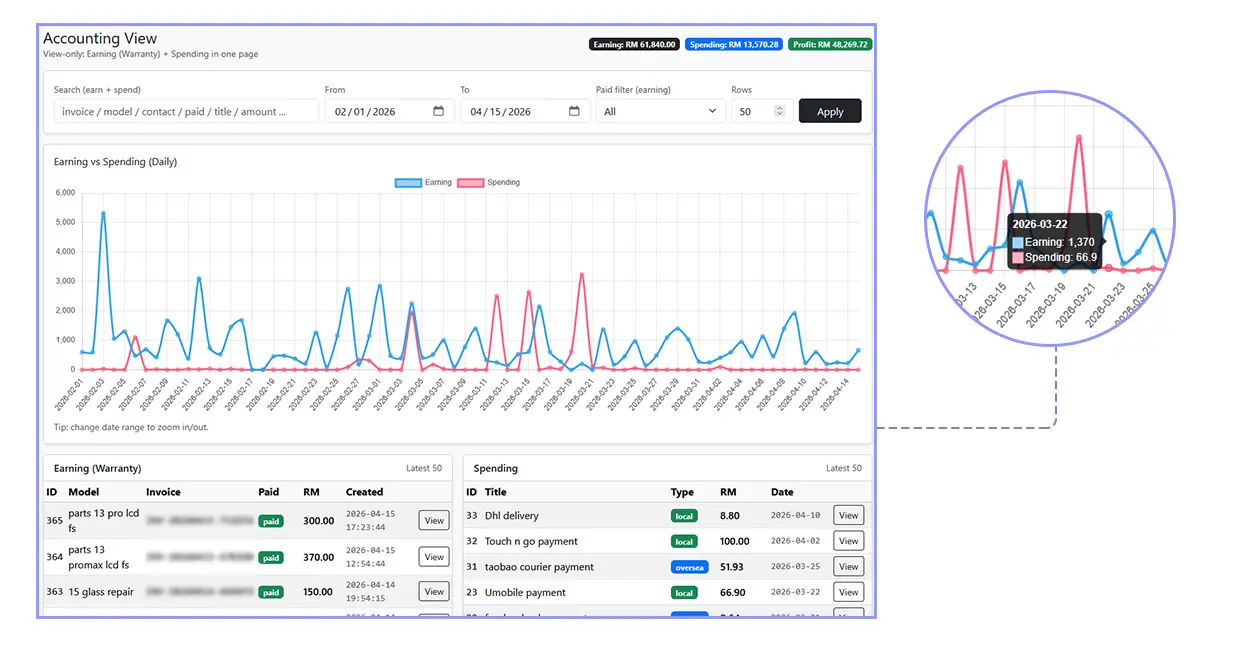
04. Analysis
The Analysis page shows your total earning and spending chart.
All customer repair income and all spending records uploaded into the system will be reflected here.
You can check earning versus spending, review monthly chart trends, and filter the data by date range to better understand your business performance.